Creating Custom Stickers on Your Pixel Phone Without Pixel Studio
Google's recent decision to discontinue Pixel Studio, its AI image generation feature, may have left some users searching for alternatives. However, Pixel phone owners still have a variety of methods to create custom stickers. Here’s a rundown of effective ways to craft engaging stickers without the now-defunct Pixel Studio. This shift signifies a potential gap in Google's creative toolkit, urging users to adapt with what's available.
Before diving into the options, ensure your Pixel device is updated to at least Android 17 to access all features. Devices running Android 16 with recent updates should also work well. Basic functionality is straightforward, but every method requires a slightly different approach. Keeping software up to date isn’t just about functionality—it’s also about security, performance, and ensuring you have all the latest features to play with.
Creating Stickers Using Google Photos
The native Google Photos app serves as a useful tool for generating stickers from existing images. This feature capitalizes on the vast storage capabilities of Google Photos and enables users to interact with their memories more creatively. To start, open the app and locate the photo you wish to transform.
Next, simply perform a long press on the subject of the image, whether it's a pet, a person, or an object, and you’ll be able to create a sticker from it. These stickers can then be pasted into various communication apps, enhancing your messaging experience. They are also accessible in the Collections tab within Google Photos. This integration showcases Google’s intent to blend functionality with user creativity, even post-Pixel Studio.
Utilizing Google Messages for Stickers
Interestingly, many users may overlook the sticker creation option integrated into Google Messages. The rise of messaging apps has transformed how we communicate. Stickers play a significant role in that evolution, adding a personal touch to digital chats. To create a sticker, open a conversation, and tap the smiley face icon next to the photo attachment icon. From there, select the Photomoji option.
You’ll have the choice to capture a new image or select an existing one from your gallery. Simply hit send, and your new sticker is ready to go, enriching your chat with that personal flair. The move to incorporate such functionality within messaging apps represents a seamless blending of expression and communication, and yet, there remains a question: will users fully embrace these features when more advanced options are no longer available?
Exploring Additional Methods for Sticker Creation
Even with Pixel Studio no longer available for processing images into funky stickers, plenty of options still exist. The sticker creation journey continues, albeit with different tools. The easiest alternative mimicking Pixel Studio's capabilities is to use Gemini. To convert a photo into a sticker, just attach it in Gemini, give it instructions, and wait for an output that has an opaque background. This gives users more control over the process while still delivering quality results.
For WhatsApp users, the sticker creation process is equally intuitive. You can navigate to the stickers section within the app and click the create sticker button to transform any image from your gallery. However, like Gemini, this feature lacks the AI reimagination capabilities that Pixel Studio offered. While it fulfills a basic function, some users might find this limitation frustrating, missing the convenience of automatic enhancements.
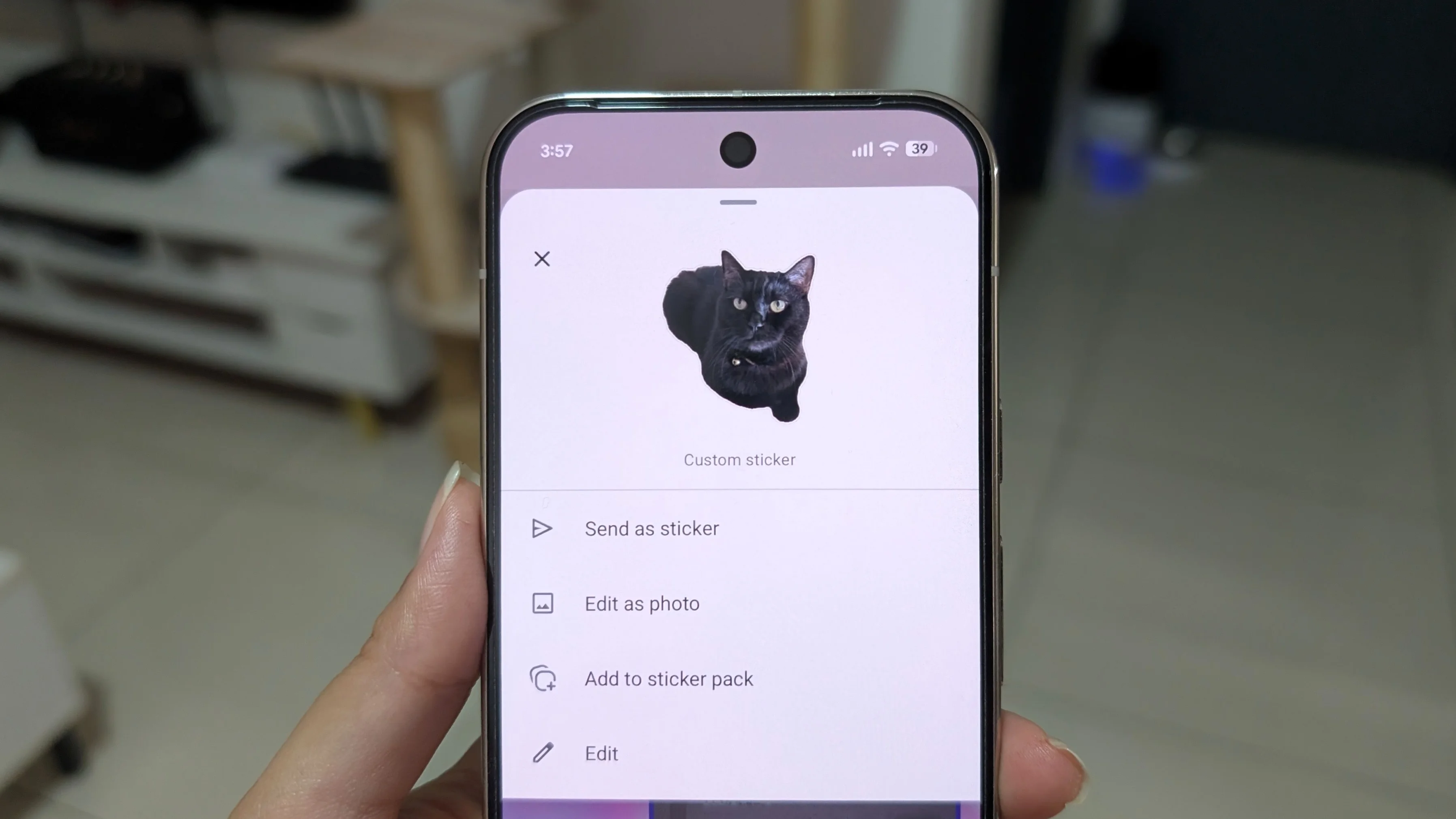
Customization is still very much alive on Pixel phones, offering numerous creative avenues for users to express themselves and communicate with flair. But the question remains: will these alternative methods satisfy users looking for the intuitive, AI-driven features previously available in Pixel Studio?
Implications for Users and the Messaging Space
As Google steps back from managing Pixel Studio, there's growing uncertainty about the future of AI-driven creativity among smartphone users. While the available sticker creation options still allow personalization, they don't replicate the automated enhancements once offered. The ramifications are clear: users seeking advanced functionalities will need to adapt to more manual processes.
If you're working in this space, you might notice a shift in user behavior. The appetite for quick, AI-assisted features is strong, and alternatives will likely rise in demand. This move may spark competition among developers to fill the void left by Pixel Studio, pushing for more diverse and innovative sticker creation tools. Such dynamics in the market could foster a more engaging, user-centric approach where personalization becomes even more critical. The landscape of mobile creativity might shift, but for now, adaptability is key.