Master Swipe Typing on Android: Boost Your Mobile Texting Speed
With smartphones now central to our communication and productivity, enhancing typing speed is essential for many users, from professionals to students. If you're still tapping each letter on your phone, you might be missing out on an efficient method that can drastically improve your typing pace. I’ve discovered a technique that enables rapid input on Android devices, one that can elevate your average words per minute significantly.
Optimize Your Typing on Android
This guide demonstrates swipe typing on a Google Pixel 8 with Android 16 and the Gboard keyboard. While Gboard is my focus here, I'll touch on how to enable similar features on Samsung Keyboard. If you have Gboard installed on any Android version from 8 onward, you’re good to go.
Swipe typing, also known as glide typing, is an increasingly popular method that leverages touch gestures to transform how we input text. With the escalation of mobile communication, finding efficient ways to engage with our devices has never been more pressing. This technique allows you to maintain contact with the keyboard, lifting your finger only between words. This simplicity translates to faster texting. Here’s how to implement it:
- Tap in a text field where you want to type.
- Rather than tapping individual letters, glide your finger across the keyboard. Pause briefly on each letter, then lift your finger when completing a word. Gboard will insert a space automatically when you release your touch.
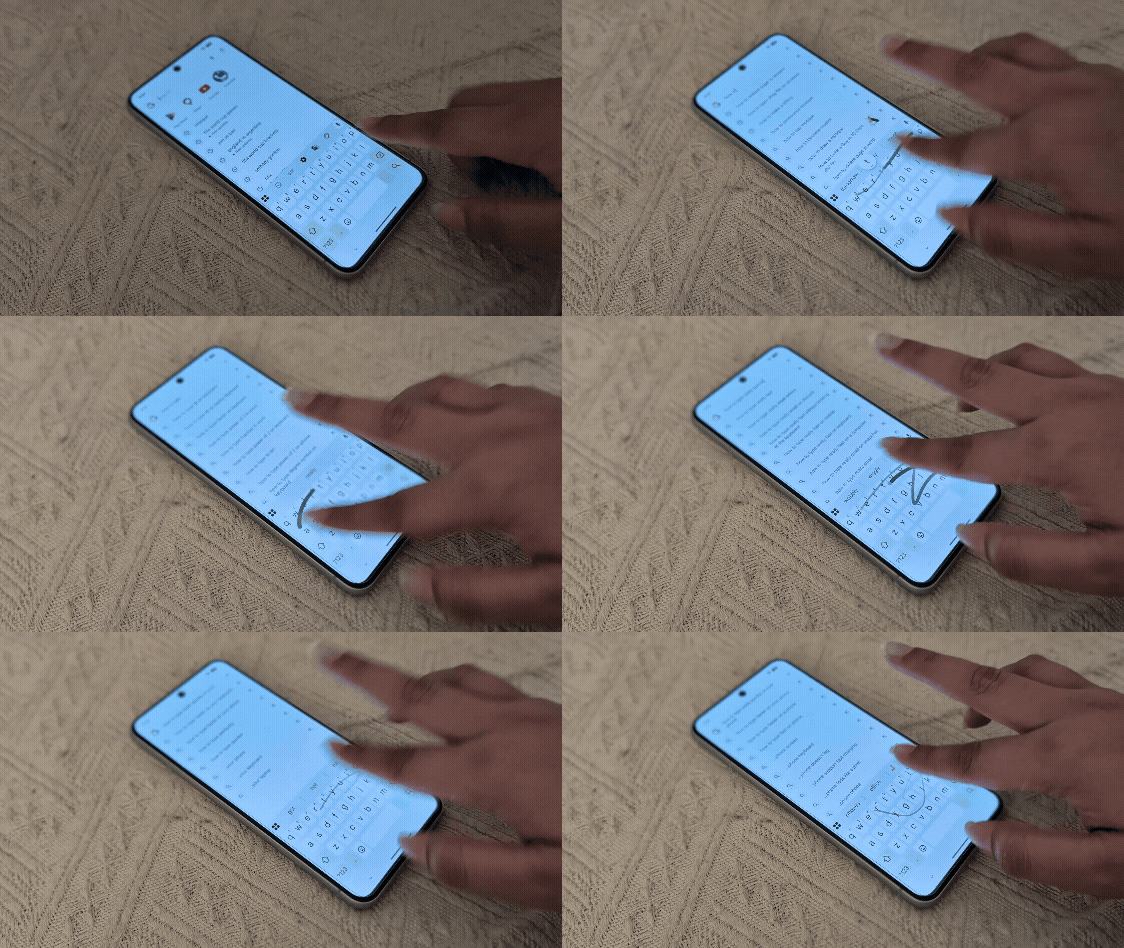
If you're utilizing Samsung Keyboard, navigate to the settings to activate the Swype mode, which will allow swipe typing to function like Gboard. Many users overlook this feature, assuming all keyboard inputs must be traditional taps. Activating this option requires only a few taps in the settings menu but can drastically change your typing experience.
The Intuitive Nature of Gboard Swipe Typing
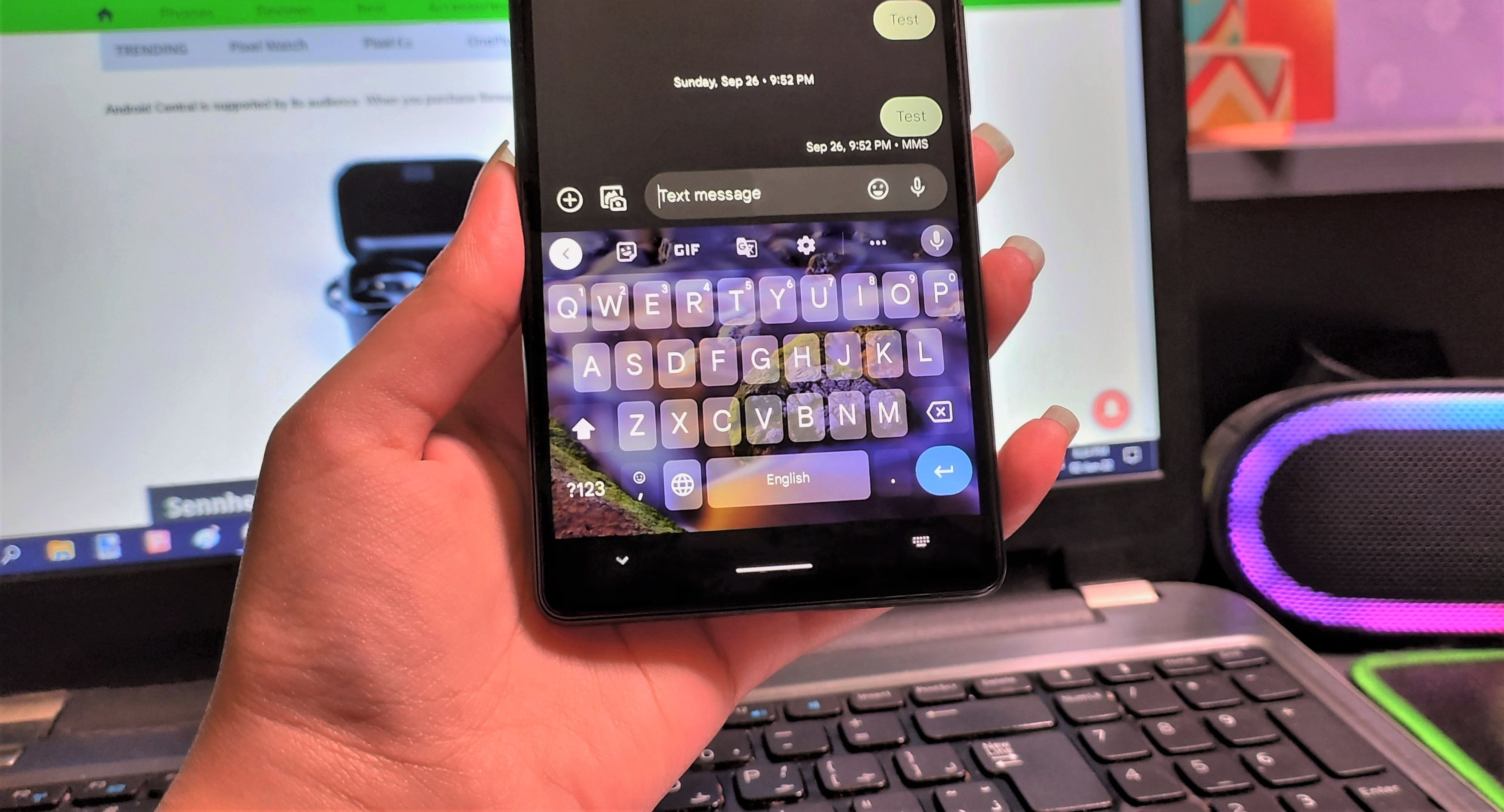
Gboard learns from your typing habits, improving accuracy and predictive text as you go. This adaptive learning is essential for enhancing the user experience, especially for those who type frequently. As you glide over letters, suggested words pop up, making it easier to keep pace without losing your train of thought. You can also correct errors through simple taps, ensuring that your messages stay coherent and accurate. Moreover, you can add custom entries to your dictionary, including names or local slang, making the experience even more personalized. This is particularly useful as language use varies significantly across different cultures and communities.
What’s fascinating is that swipe typing also supports multiple languages. I successfully tested it with Urdu in Gboard, and the results were just as effective as in English. This capability is vital in a world that increasingly values multicultural communication. For those with Wear OS watches, this technique can be utilized on your smartwatch as well. It’s a real asset for anyone who wants to stay productive on the go.
Swipe typing has become a fascinating topic of conversation; I've captured attention while using it in public, often being asked to share my newfound skill. (And this is the part most people overlook): what starts off feeling awkward quickly morphs into a surprisingly fluid experience. While you might find the initial speed slower as you adjust, long-term efficiency is undeniable—you might even find conventional typing feels outdated once you master this method. The tactile feedback from the screen, paired with predictive text, creates a typing experience that feels almost intuitive, breaking down barriers that make typing cumbersome on mobile devices.
The Future Outlook for Typing Technologies
As the digital world continues to evolve, the future of typing technologies seems promising yet uncertain. Expect to see advancements that cater not only to speed but also to ergonomics and accessibility. Many smartphone users are exploring more alternative input methods, prompting developers to innovate further. Whether that involves better voice recognition capabilities or even gesture-based controls, the competition will likely push typing technologies towards greater efficiency and inclusion. For instance, AI-driven predictive text and voice-to-text features are standard now, but there's always room to refine these technologies for better accuracy.
For tech enthusiasts and everyday users alike, it’s vital to keep up with these trends. If you’re working in this space, it may be worth your time to experiment with different input methods to see what suits your typing style best. Swipe typing is just the beginning; as technology advances, what we think of as "typing" could evolve entirely. So, stay tuned. The way we communicate has always been on the brink of transformation, and it won’t stop now.