Transform Your Clips with Google Photos' New Video Remix Feature
Google Photos has leveled up its video-editing capabilities with the introduction of Video Remix, a feature designed to creatively alter brief video clips using the Gemini Omni AI model. Previously, Gemini Omni lived exclusively in the Gemini app, but now it allows users to transform their content directly within the Google Photos environment.
I took the opportunity to test Video Remix, which, while not a full substitute for the comprehensive features available in the Gemini app, is nonetheless an engaging tool. You can select a 10-second segment from a video, apply one of several artistic templates, and watch your clip reemerge in a fresh and imaginative format. Though I found the outcome pleasantly surprising, it would be advantageous if Video Remix supported longer videos.
Getting Started with Video Remix
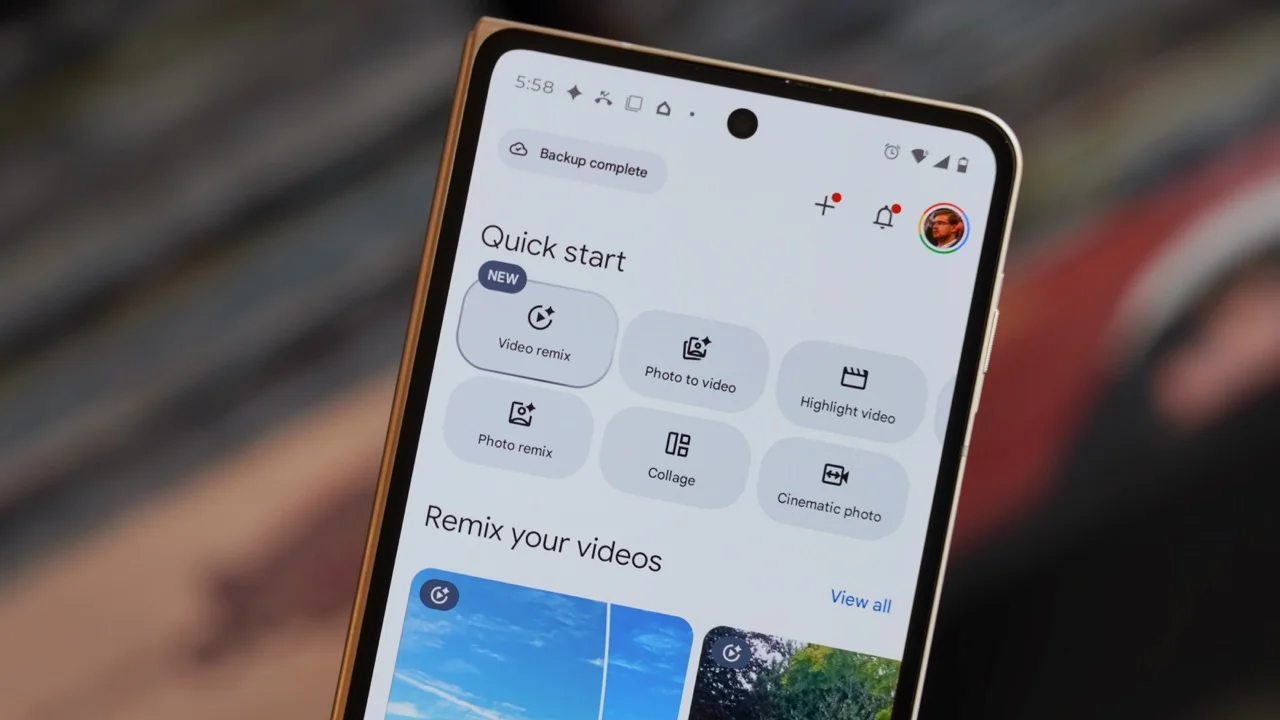
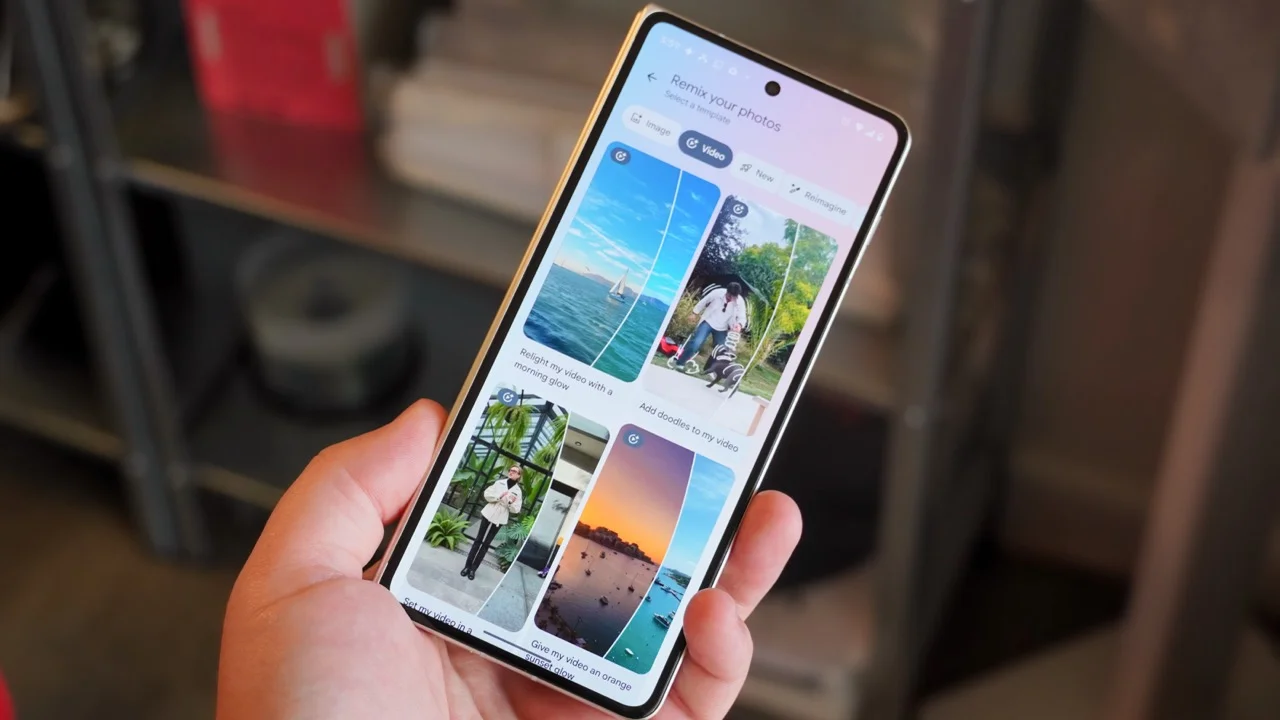
To start using Video Remix, you don’t need to venture into the Gemini app. Simply locate it in the Create tab of Google Photos, situated alongside other remix features. It’s tailored specifically for short clips, allowing only 10-second selections.
The templates offered for Video Remix provide a variety of transformation effects, including:
- Relight my video with a morning glow
- Add doodles to my video
- Set my video in a greenhouse
- Give my video an orange sunset glow
- Add shifting laser light strobes
- Paint my video in dreamy watercolor
- Make my video look like pixel art
- Give my video a tropical sunset background
- Put my video in a gritty subway scene
- Cast a magic hour haze in my video
- Cast my video in cool blue hour tones
- My video as a stop-motion sketch
- Turn my video into a moving oil painting
- Put my video in a Mediterranean villa
- Give my video a golden hour glow
These options range from simple lighting enhancements to complete reinterpretations of the original footage's style. Google indicates that stable and clear videos yield the best Remix results, spinning a note of caution that not every remix will turn out perfectly and may include audio surprises.
Currently, Video Remix is rolling out to paid Google AI subscribers across a select list of countries, including:
- US
- Argentina
- Bangladesh
- Brazil
- Colombia
- Egypt
- India
- Indonesia
- Japan
- Mexico
- Pakistan
- Philippines
- South Korea
- Turkey
Users with a Google AI Plus, AI Pro, or AI Ultra account in these regions can start enhancing their video content with relative ease.
My Experience with Video Remix
Having a collection of infrequently revisited videos, I saw Video Remix as an entertaining avenue to breathe new life into clips that were collecting digital dust. I experimented with footage from a boating trip featuring dolphins and clips of summer runs recorded with Meta Oakley gear.
Here's how I leveraged the Video Remix feature:
- Open the Google Photos app.
- Tap Create.
- Select Video remix.
- Choose a template.
- Select a video from your library.
- If longer than 10 seconds, use the grab handles to pick a section. Then tap Generate.
- Wait for processing; this could take up to two minutes. Once finished, you can playback your Video Remix and hit Save to store it.
With these steps, you can craft your first Video Remix. Should the outcome not align with your expectations, don’t hesitate to experiment with different prompts.
Outcomes of My Video Remix Experiments
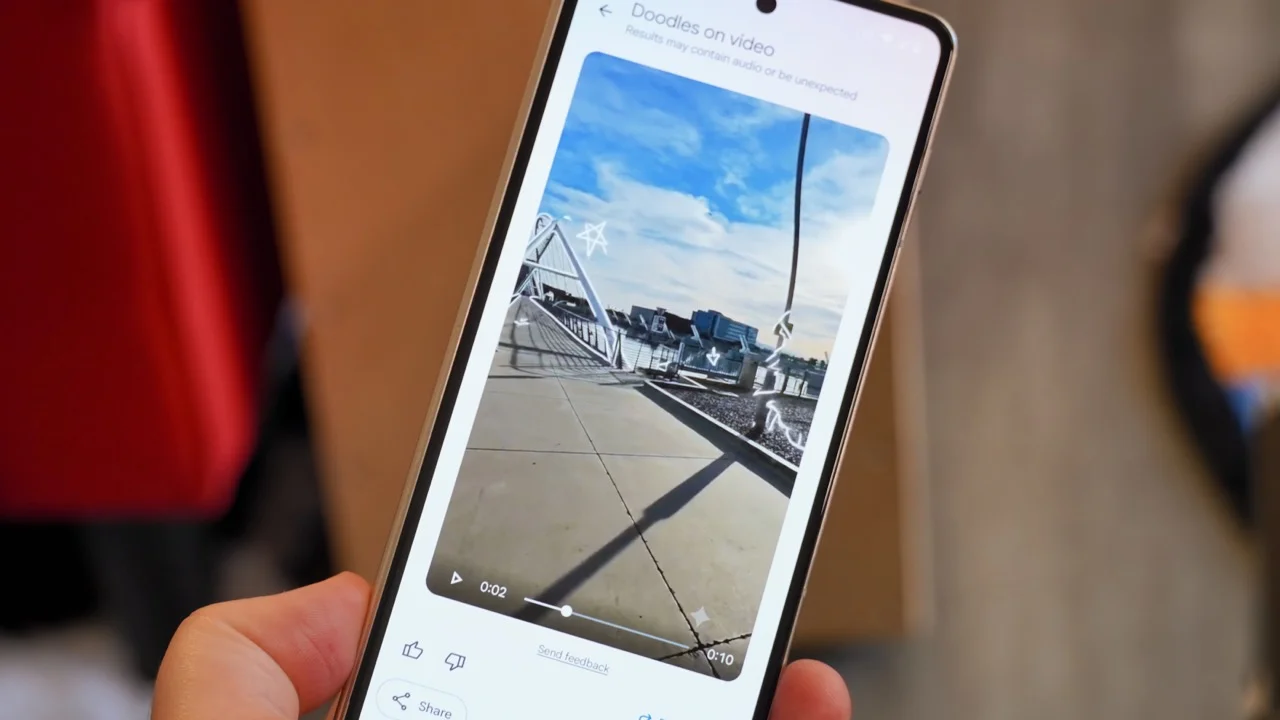
Despite the limitation on video length, the results from Video Remix were quite impressive. For my initial test, I took a first-person perspective video from my runs and altered it into a watercolor painting effect, achieving a look that was captivating, albeit a bit too whimsical for my taste.
Seeking a different touch, I switched to the doodle template, which yielded my favorite result. It transformed a video of me running across a bridge into a visually dynamic scene filled with sketched elements, making a once-ordinary clip fitting for social sharing.
For a subtler effect, I opted for the morning glow effect on a dolphin video, dramatically improving its visual appeal.
Choosing Video Remix vs. Omni in Gemini
While the Gemini Omni app is tailored for comprehensive new video generation, Video Remix shines when you want to execute quick edits on existing clips. There's room for improvement—such as longer clip support and broader access for free Google Photos users. Nevertheless, for those with a Google AI subscription, Video Remix stands out as a valuable tool for refreshing your digital memories.