Google Photos Introduces New Vintage Styles and Enhanced Editing Tools
Google Photos is enhancing the photo-editing experience as it rolls out new features designed to breathe fresh life into your summer captures. The latest updates include the stylish "Moods" feature, which offers a variety of nostalgic editing options, alongside improved AI tools for easier photo management. These changes aim not just to modernize the user interface, but to fundamentally enrich the way users engage with their visual memories.
As of September 24, Google announced the integration of Gemini Spark for its Photos app, initially available to Pro and Ultra subscribers in the U.S. This feature allows users to brighten and share photos with a simple prompt, as well as remove unwanted individuals from backgrounds. This move transcends typical editing, showcasing AI's potential in streamlining interactions with images and suggesting that Google is intent on making photo editing more accessible to everyone, not just dedicated photographers.
Exploring the Moods Feature
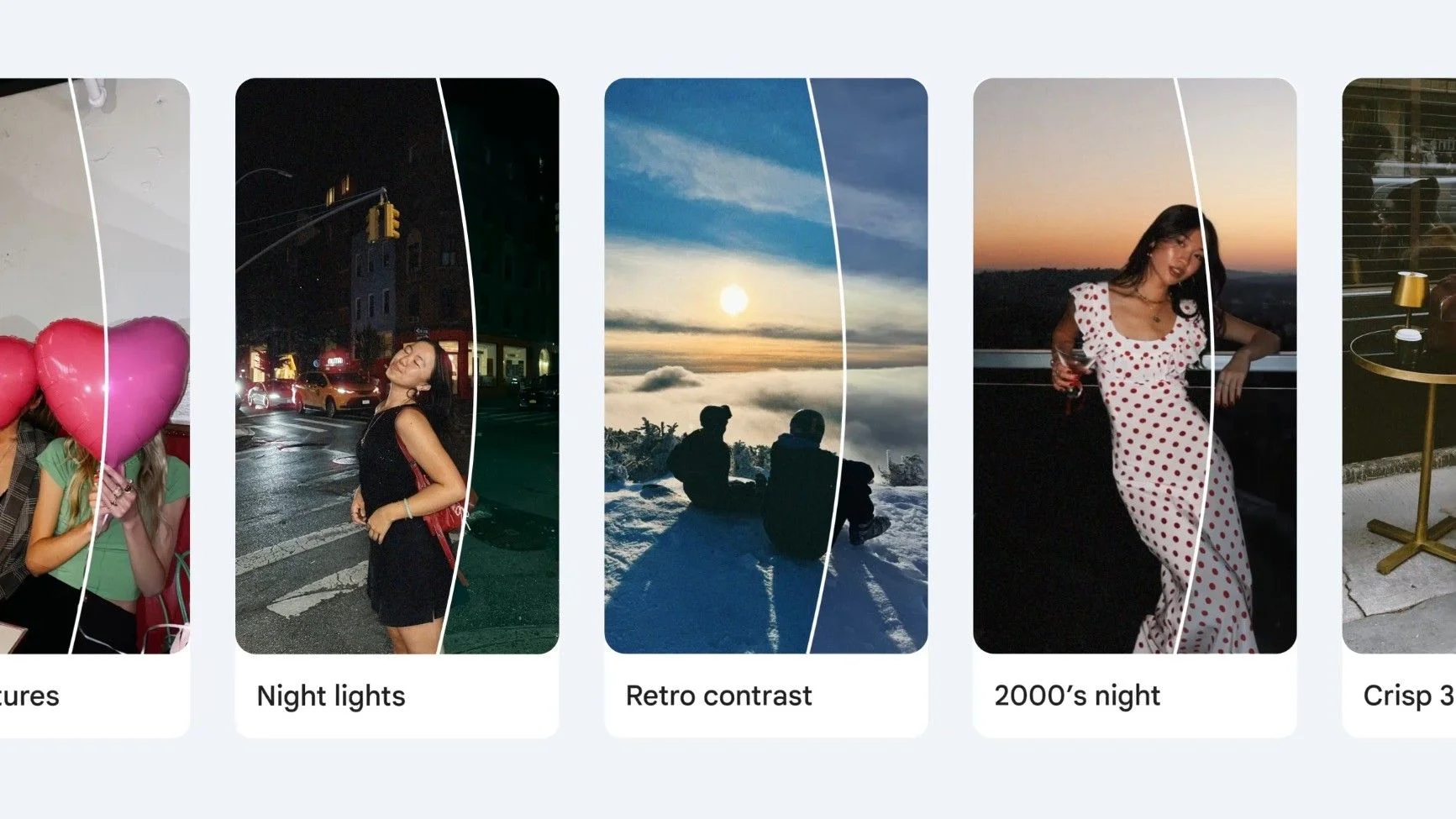
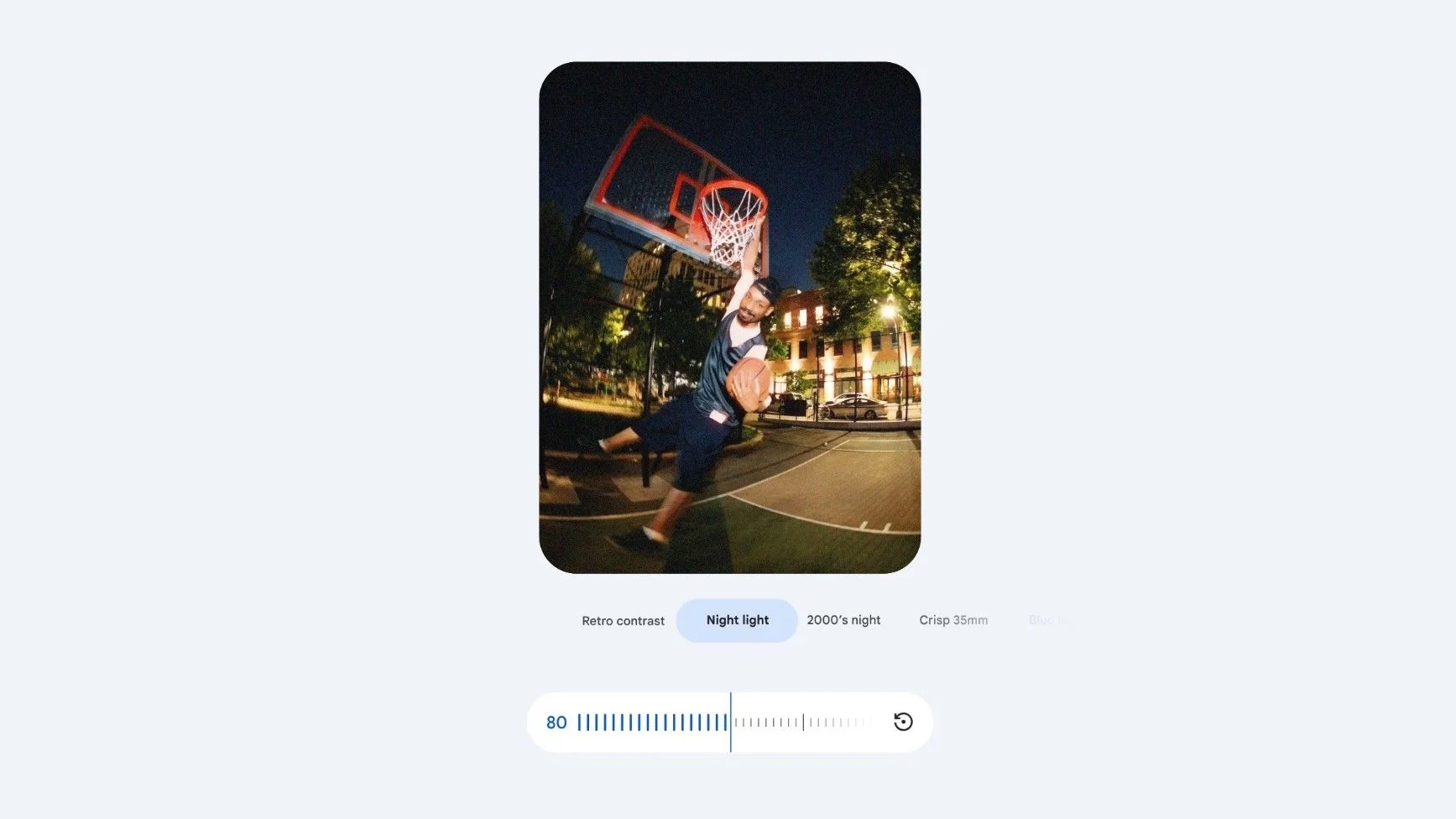
The standout element of this update is certainly the "Moods" functionality. Google describes these vintage styles—like 35mm film or 2000s digital camera effects—as versatile tools that adapt dynamically to each photo. Users can tailor the intensity of these styles using sliders, which is a nuanced way to engage with photo editing. With this level of customization, you’re likely to feel more in control of the final product, enhancing the emotional resonance of your images.
This adaptability signifies Google’s commitment to enabling users to infuse their personal touch into their photos rather than merely applying static filters. By integrating these nostalgic styles, Google taps into a universal desire for authenticity and the tangible sentiments that accompany our memories. Moods is now rolling out to Android users globally, and enthusiasts can expect richer creative possibilities in their photo editing routine.
Markup Tools and Remix Templates
The update also enhances Google Photos' markup capabilities, introducing a "redact pen" designed for blurring sensitive details. This feature speaks volumes about privacy concerns prevalent today. The ongoing conversation around data protection makes such tools essential, especially as users share more online. Alongside this, users can experiment with new thickness sliders for sketches and updated fonts that infuse extra flair into their text. These improvements encourage users to personalizing their content meaningfully and artistically, rather than settling for generic options.
And don't overlook the introduction of 15 new Remix templates that can transform ordinary photos into playful creations. Whether you want to craft mock photo booth strips or customizable birthday cards, these templates enrich the creative options available to users. In a culture that thrives on social sharing, the ability to quickly produce tailored content can spark engagement in more ways than one.
Expanding the Wardrobe Feature
Another significant addition is the expansion of the Wardrobe feature, which allows users to organize their digital closet of clothing styles. This capability is now available in the U.S., India, and Brazil on both Android and iOS. It enables users to catalog outfits and even mix and match clothing for upcoming events, fostering what can essentially be seen as a personal stylist experience. In a world where fashion choices often become visual statements shared online, this feature could help streamline outfit planning considerably.
For those unfamiliar with the Wardrobe feature, it offers the ability to catalog individual clothing pieces, significantly transforming the Photos app from a simple gallery into a dynamic content hub. This isn’t just a private catalog; users can share outfit combinations with friends, making it a communal experience. It adds a social dimension to something as personal as fashion, highlighting how interconnected our online lives have become.
The implementation of Gemini Spark, introduced back in May, serves as a proactive AI that handles background tasks to declutter the user interface. Think of it as a personal assistant integrated with Google’s suite of tools like Gmail and Docs, streamlining task automation and summarizing communications. This minimizes friction in the user experience, making it even easier to engage with photos.
Implications and Future Outlook
These updates collectively signify a substantial leap forward for user engagement within Google Photos. By encouraging creativity and personalization while simplifying the editing process, Google is making a clear statement: they recognize the power of photos in digital storytelling. As these features continue to roll out, you can expect a shift in how users interact with their digital memories.
If you're working in this space, you'll likely be keeping an eye on how other platforms respond. The push towards incorporating such user-friendly capabilities reveals a market trend demanding deeper interaction with digital content, an area where many apps currently fall short. Expect other major brands to follow suit, as personalized, integrated experiences become the standard consumers expect.
In this landscape, Google Photo's enhancements matter more than they appear at first glance. The subtle blending of community, creativity, and user engagement indicates a thoughtful approach to product development. It remains to be seen how effectively these changes will resonate with users in the long run, but Google’s focus on melding advanced technology with user-friendly interfaces clearly sets a precedent within the industry.