Googlebook November Update Frees RAM and Fixes Chrome, Audio and Linux Issues
Googlebook’s November update targets a practical bottleneck: on-device AI services competing with apps and Chrome for memory. Google says changes to the NPU driver and AICore memory management free 3GB to 6GB of system RAM, a notable difference on 16GB laptops when many tabs and apps are open. That range is large enough to sound consequential, but its day-to-day value will depend on what a device is doing and how much memory its AI services were using before the update. A laptop with a light workload may see little change; a busy one could have more room for the browser and foreground apps.
The update’s focus is revealing. As more AI processing runs locally, those services share finite resources with the work users already do on their computers. Memory pressure can show up as sluggishness, apps being pushed out of active use, or browser tabs needing to reload. Google’s changes address that shared-resource problem at the system level, though the stated savings don’t tell us how much memory every model will recover in every situation.
More memory matters when Chrome stays stable
The memory changes also affect Chrome’s reliability. The system now handles conflicts between background AI services and browser processes more effectively, which should reduce unexpected tab reloads and crashes. That’s the update’s most consequential fix: spare memory matters only if the browser can keep using it under load. A device can report more available RAM and still feel unreliable if busy background processes crowd out the apps people are actively using.
Here’s the thing: fewer reloads would be a practical improvement, but Google’s description doesn’t establish how often those failures occurred or how much the update reduces them. Users will judge the change through ordinary work: keeping several tabs open, switching between apps, and returning to a browser after leaving it in the background. If you’re working in this space, the useful question is whether the system keeps performance predictable as workloads pile up, not just whether a memory figure improves in isolation.
This is more significant than it looks. Browser reliability is part of the basic experience on a laptop, and a memory optimization that protects it can matter more than a larger headline feature. Still, the result has to hold across different devices and usage patterns; a system-level fix is only convincing when users stop running into the problem it was meant to address.
Peripheral and display fixes target everyday friction
Google is also addressing problems across device modes and peripherals. Convertibles should retain keyboard and touchpad input when switching between tablet and laptop use. That matters because mode switching is supposed to let one device adapt to different tasks; if input stops responding, the flexibility creates extra work instead. The update’s stated fix is specific, though the source doesn’t say whether every affected convertible had the same symptoms.
Zoom crashes tied to simulated backgrounds, filters, blur effects and 3D avatars have been fixed. These effects add processing demands during calls, so crashes in that setting can interrupt the meeting as well as the user’s workflow. It’s a targeted correction, and it speaks to a broader requirement for laptops that run video calls alongside other applications: the system needs to handle common features without making the call itself fragile.
External monitor support gets a useful correction: DRM-protected services such as Netflix should now play instead of showing a black screen. The release also improves support for USB microphones and multichannel audio interfaces. Bluetooth changes aim to reduce audio and video sync delays and help wireless mice reconnect more reliably. None of these changes sounds dramatic on its own. Taken together, they address the sort of small failures that make a computer feel unfinished: the screen works, but protected video doesn’t; the meeting starts, but the audio setup needs attention; the mouse drops and has to reconnect.
Linux, security and rollout details
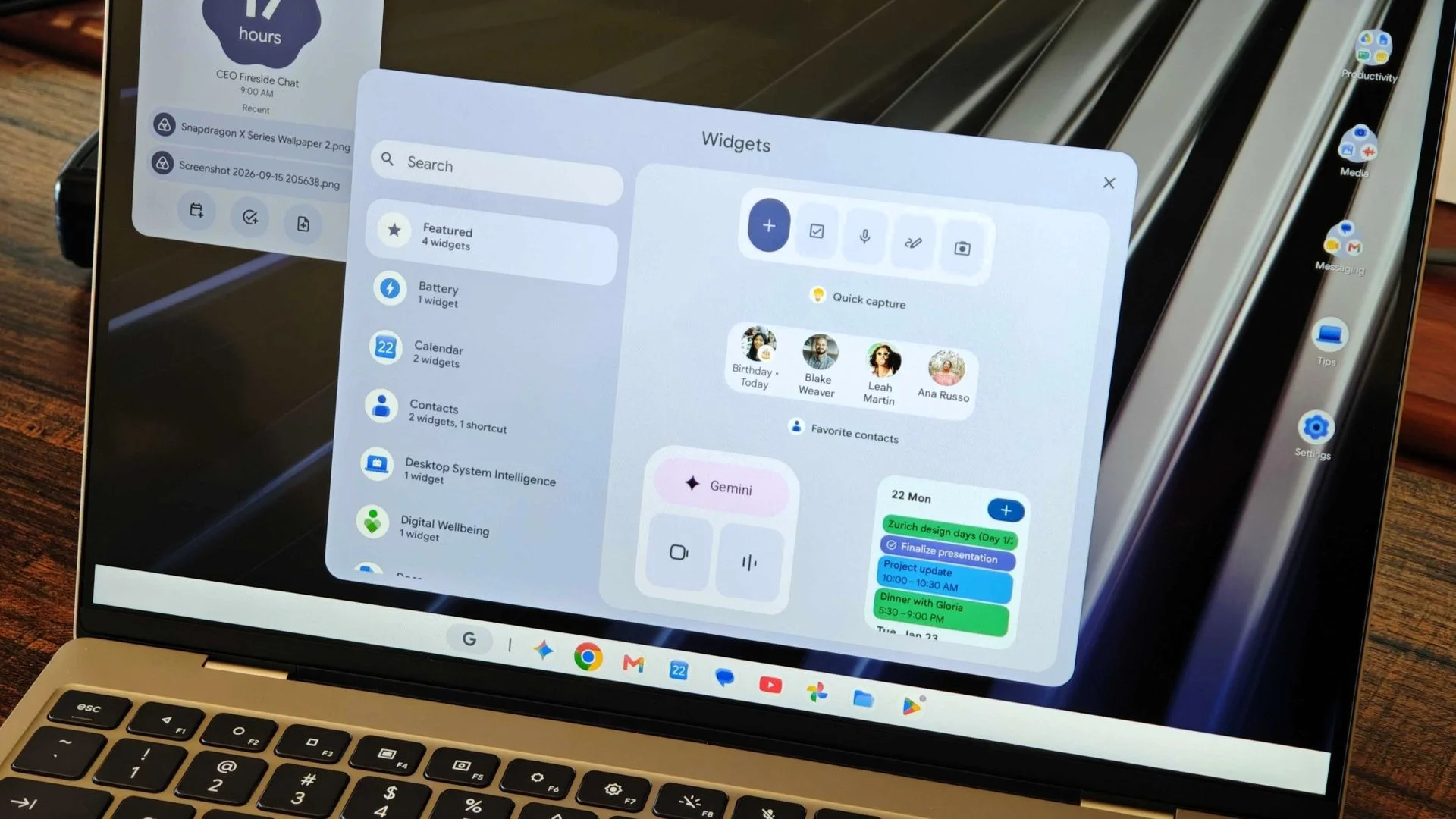
For developers using the Linux Terminal beta, the update improves shell sessions after sleep, SSH port forwarding and multi-window management. It also fixes a memory leak triggered by closing terminal tabs. Linux VM updates should preserve user storage and custom SSH configurations. That last point matters because development environments often rely on settings and files users have already arranged; preserving them reduces the friction of maintenance, although the release notes don’t spell out the exact upgrade path.
The November 1, 2026 Android security patch addresses around 60 vulnerabilities. Google has also updated the Linux 6.18 kernel and Ti50 security chip firmware to address unexpected restarts, boot loops and noisy fans. Those items span security, system stability and device behavior, so this release reaches beyond the headline memory change. The source doesn’t identify the vulnerabilities or explain which devices were affected by the restart and fan issues, leaving owners to rely on the update details for a high-level picture.
The gradual rollout covers supported models from Acer, ASUS, Lenovo, HP and Dell. Owners can check for it under Settings > System > System Update; the build number is CL3B.260622.286.R2. Early Reddit reports describe smoother performance, though some users have flagged Chrome spell-check and notification-sync problems after waking from sleep. Those early accounts are useful signals, but they don’t establish how common either experience is or whether the reports reflect the update itself.
What the update will need to prove
The November release is a maintenance update with a wide reach: memory management, browser reliability, device switching, calls, displays, audio, Linux and security all appear in the changes described here. That breadth may help make Googlebook feel more dependable, but it also makes the rollout worth watching. A fix for one class of problem can land alongside new quirks, and the reports about spell-check and notification syncing show why the experience after waking from sleep deserves attention.
And yet, the direction is sensible. Local AI features compete for the same hardware resources as everyday computing, so managing that competition is part of making those features usable. The claims about freed memory are promising; the practical test is whether owners notice fewer reloads and crashes while using their usual mix of apps, tabs and connected devices. Quiet improvements. The kind users tend to value only after they’ve stopped having to work around the old problems.